L&D & Training leaders
Clear the course backlog without growing headcount. Outcome-mapped, audit-ready content you can stand behind.
WayPoints turns any document, slide deck, or topic into a complete online course in minutes. It builds outcome-mapped lessons, quizzes, and interactive tours, with narration in 20 languages. Publish straight to Tovuti LMS, or export SCORM to run it in the LMS you already use.
AI without the guesswork.
.png)
WayPoints is Tovuti's standalone AI course authoring tool. Give it a document, a slide deck, or a topic, and it builds a complete course for you: outcome-mapped lessons, quizzes, interactive tours, and narration. A guided 7-step wizard walks you through it, and you stay in control of every edit.
It works inside Tovuti, and it works on its own. You don't need the Tovuti LMS to use WayPoints. Build your course here, publish it straight to Tovuti, or export SCORM and run it anywhere, including your current LMS.
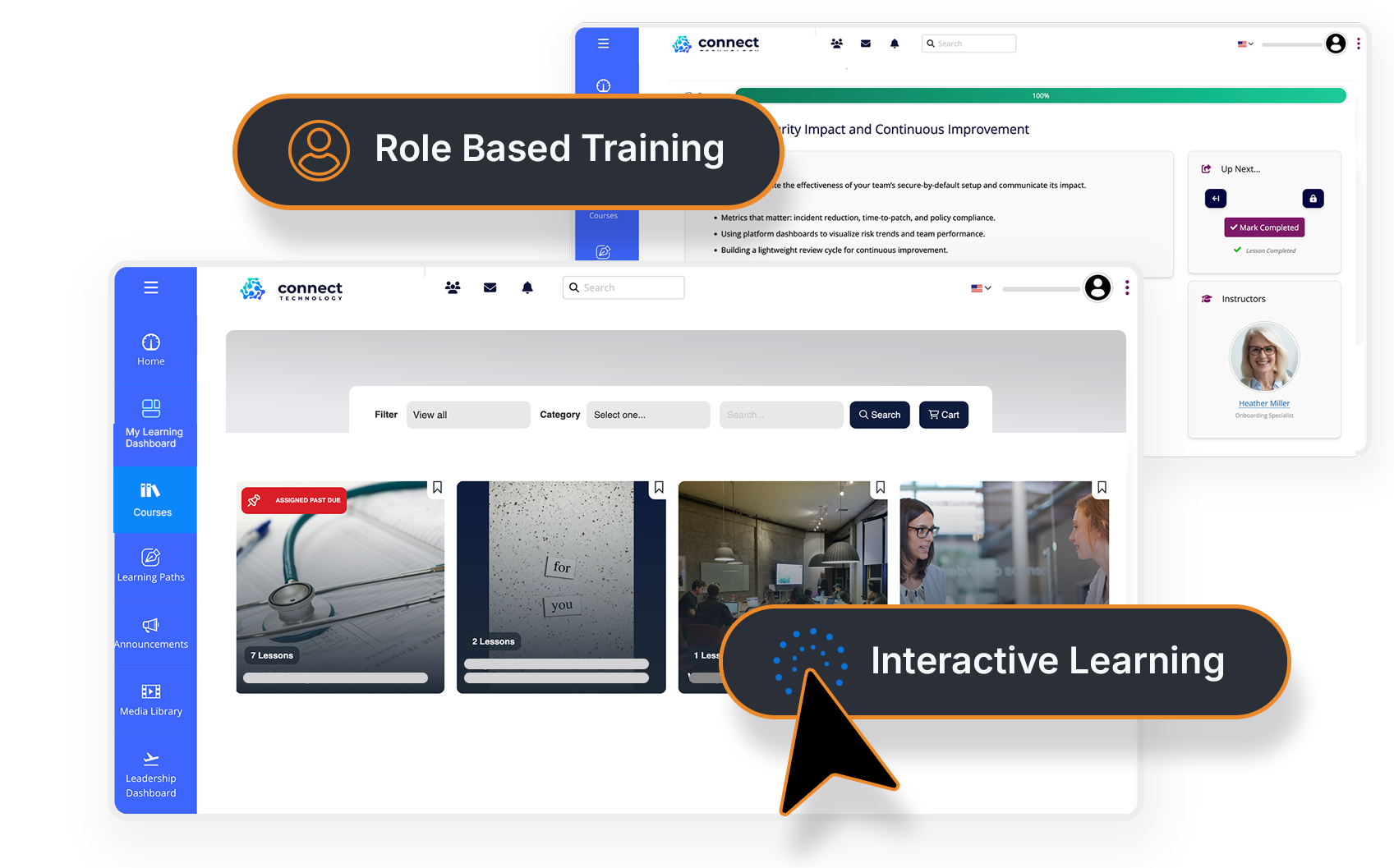
Upload, prompt, publish. Work that used to take weeks now ships in an afternoon.
Every lesson, module, and quiz maps to a measurable learning outcome you can track.
One-click translation into 20 languages, with narration included.
Keyboard-operable, screen-reader tested, and WCAG 2.1 AA accessible by default.
Locked behind a per-user surcharge — all-or-nothing for the whole org
Built into every plan, no surcharge
Every seat is the same type and price
Mix economy and power seats — pay premium only for who needs it
Known gaps; remediation after the fact
508 / WCAG 2.1 AA by default, VPAT on request
Screen-capture video or static screenshots
Interactive Tours with AI hotspot generation
Content-first; outcomes optional
Outcome-first wizard with traceability
Two separate tools to learn and license
One unified tool, 12 module types
A paid add-on, credits reset annually
Included — 20 languages, one click
The AI wizard turns a doc or a prompt into a structured draft in minutes. You spend your time editing, not building from scratch.
Outcome-first authoring sets your goals first, then maps every lesson and assessment back to them. The result is coherent, effective, and easy to defend.
Section 508 / WCAG 2.1 AA is built in, not bolted on later. Keyboard-operable and screen-reader tested, with a VPAT on request.
Interactive tours let learners practice the real interface. You can update a screenshot instead of re-recording an entire video.
FOR REGULATED & FEDERAL ENVIRONMENTS
Customer-controlled AI endpoints with no public-LLM exposure, FedRAMP-ready Pro edition, SSO/SCIM, audit logs, and SCORM export — so your content and your compliance stay yours.
A GUIDED 7-STEP WIZARD
Start from a prompt or upload a doc.

Screen-capture videos go stale, and screenshot PDFs are easy to ignore. Interactive Tours are different. They're image-based and clickable, with AI hotspots and branching paths, so learners practice in the real software interface instead of watching it.
Watch WayPoints build a real, accessible course from your own document in about 15 minutes.
✅ See practical AI in action
✅ Validate fit for your training programs
✅ Understand where Tovuti AI helps most
Yes. Everything is editable, regenerable, and you always have full control over the final output.
Both. You can publish courses directly in Tovuti or export complete SCORM 2004 4th Edition packages.
Yes. The Pro edition supports customer-controlled AI endpoints and avoids public LLM exposure, making it ideal for regulated environments.
AI Course Creator supports all languages available in the Tovuti platform. You can translate an entire course, including content, assessments, and UI, with a single click.

© 2026 Tovuti LMS. All rights reserved.